DSAR-Deliver Stage
This part of the 'Flow' tab comes to play only for Summary and Copy Request Types. First, the report is constructed using the 'Build Report' option and sent to the requestors during the delivery phase. The report is usually included as an attachment within the confirmation email sent to the users after processing the requests.
Click on the 'Next' button on the 'Acknowledge' configuration to navigate to the 'Deliver' section.
You can also reach this screen by clicking on the 'Deliver' option on the screen.

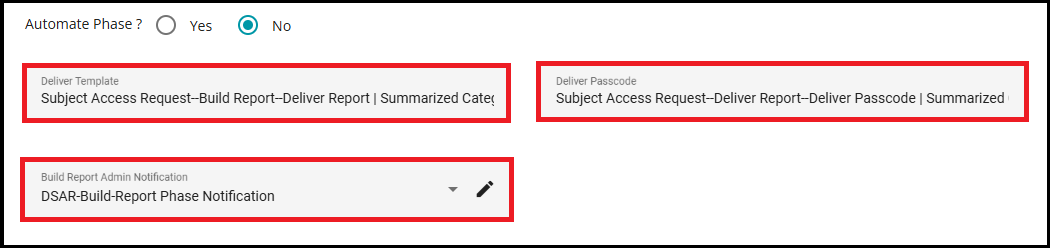
In the Deliver stage, Report and Passcode emails are approved and sent manually by the operator using the configured templates.
The Deliver template and Deliver Passcode templates cannot be selected directly in this section. Instead, you must configure it in the Acknowledgement section. In Acknowledgement, under the "Deliver" section, whatever you select for the Report template, and Passcode template will be displayed here.
For more details on configuring these templates, please refer to DSAR-Acknowledge.docx.
Whenever an email sent to the user includes an attachment, it is encrypted with a passcode. The email with the attachment is sent first, followed by a second email containing the passcode to open the attachment.
The Build Report Admin Notification is an email template used to notify administrators when the report-building phase is initiated or completed during the DSAR (Data Subject Access Request) process. This notification ensures that admins are kept informed about important actions, such as the generation and delivery of reports.
In the configuration screen, you can select the Build Report Admin Notification template from the dropdown menu. You can also edit the template by clicking the pencil icon, allowing you to customize the email content as needed.
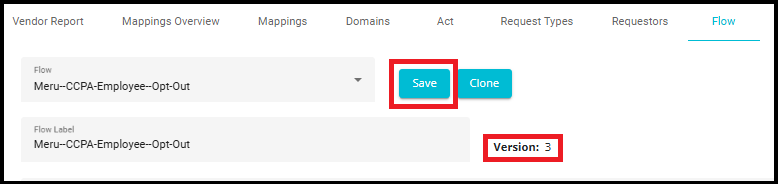
- After configuring all these options, the flow must be saved and mapped to the tenant.
Note: All changes made to the flows will be saved as a version, allowing for easy tracking and management of updates.